The Trials and Tribulations of Making a Print Copy—My Recent Journey with Amazon
That little tool, “Create a paperback” beckons. Sounds enticing, doesn’t it?
You’ve launched your e-book, perhaps on Kindle, as I did, and then you notice the offer to make your “baby” into something tangible, a paperback.
One reason you might be tempted, is that many of your friends say they want something tangible, a hard copy of your book; they don’t do e-books.
Hence, after my latest e-book, the T-Team with Mr. B went live, I set about the process of making a print book through Amazon. Since my travel memoirs are designed to be a “coffee table” book with entertaining travel stories and colour photos, the page size is not the standard novel format (5”x7” or 6”x9”), but slightly larger at 8”x10”. You’ll notice that I am using Imperial measurements rather than metric. And here lies the problem as an Australian indie author. Just as certain International space programmes can be brought down by the Imperial vs metric discrepancy, so can designing your print copy of your book fall foul of what I’m calling the Imperial computer programme used by Amazon. It seems I fall in this trap every time I attempt to make a print copy of my latest book.
You see, the Microsoft publisher programme I use to design the book cover is in metric. I looked at ways to convert it to Imperial, but such secrets remain a mystery to me. Instead, I use the “Inches to Centimetres” converter found on the internet. This I did and created my book cover which is (8”x10”) x 2, for front and back cover, plus .35” for the spine. In metric that is 20.32cm x 2 plus .9cm for spine.
So far, so good.
Once I inserted the pictures, title and blurb for the back, I then saved the file in Publisher. Then I converted the publisher file to PDF.
Looking good…
With my body/text/manuscript file formatted (for 8”x10”) and also converted to PDF, I was ready to begin the process of making a print book on Amazon. Click on “Create paperback” and follow the prompts. Make sure all required fields are filled in. Then upload the body/text file and cover. Before proceeding to pricing, which is the next page, it is important to launch previewer and check book for errors. Errors will be highlighted.
This is where my attempt at creating a print book came undone. The manuscript was fine, no problems, but the powers that be (computer programme and people who check) had issue with my cover. Each time I loaded it up, “error” in bold red letters glared at me. I uploaded it several times, each time adjusting the cover so that all images and lettering, especially related to the spine, fit in the designated parameters. After about five attempts, the manuscript and cover were accepted, and I ordered a “proof copy”.
Although Amazon quoted ten days for the proof to arrive, it came in three days.
The important thing to remember with proofs is that they are there for a reason. Take time to thoroughly check the proof, not just the cover and how it looks, but on the inside. Seeing work in print helps discover errors and typos. Just because someone proofread your manuscript beforehand, doesn’t make it immune from typos that have been missed. I found a whole heap of Mr B’s that should have been Mr. B.
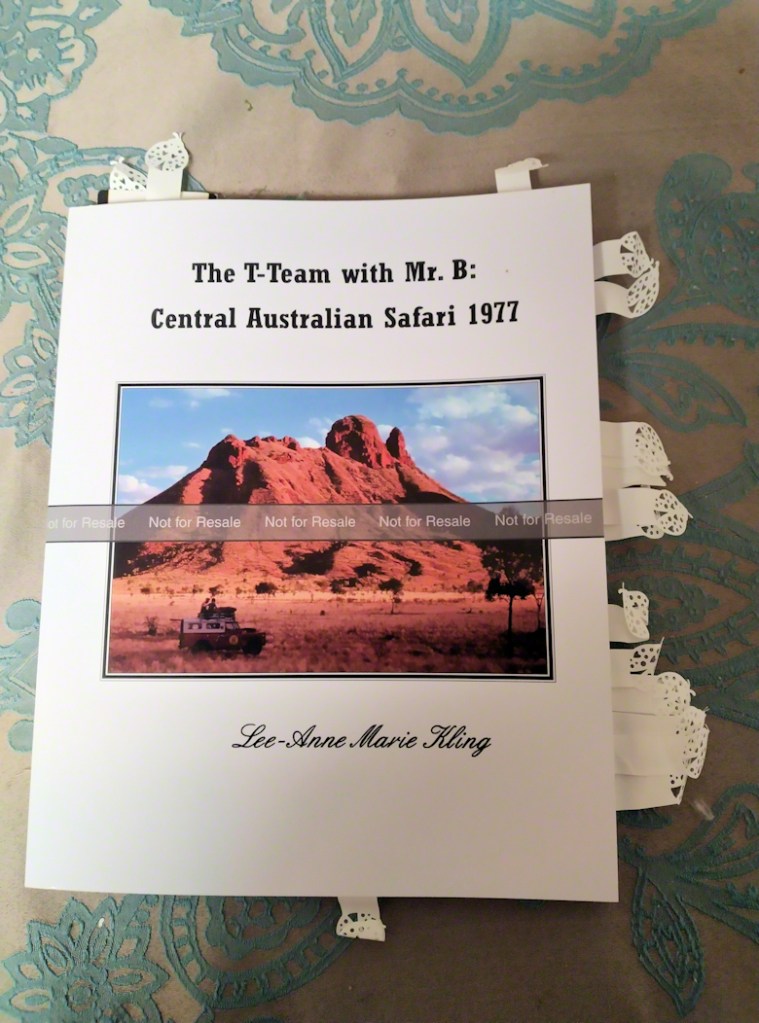
After addressing the typos and errors in my proof, I set about uploading my manuscript, once again. My cover also had an issue; one of those infernal Mr B’s. I corrected the typo which required another visit to Publisher. That was my mistake.
Satisfied that my cover and manuscript were the best they could possibly be, I uploaded the work for Amazon’s perusal. They were happy with the manuscript, but not at all happy with the cover. In the process of adding just one tiny little dot after Mr, I’d inadvertently used the wrong sized cover size. Worse, I had saved over the “approved” cover from the proof.
Twenty uploads later, I was still no near the elusive approval for my cover. Even when all the images and text were neatly inside the red rimmed parameters. Again and again, the same error message plagued my cover’s existence: “Your expected cover size is 16.602 x 10.250, your submitted file is 16.599×10.000.”
I began writing down my progress, or lack of it.
Eventually I worked out that the wording was my stumbling block and discovered that “submitted” is the “variable”, meaning it can be changed, but “expected” is the constant, meaning it can’t be changed. I decided to go back to my publisher files and make both the “submitted” and the “expected” files match in size. (16.602”x 10.250” or in metric: 42.169×26.035cm) I found a ready-made “paper size” that matched the “expected” and slotted my cover made into a JPEG into the page.
And…it worked!
Elsie King was comforted by the fact that it took me all Tuesday to work this out. When we came to do her historical romance, A Suitable Heir, we nailed it in one go.
We are both looking forward to receiving our print copies in the mail in the next week.
© Lee-Anne Marie Kling 2023
Feature Photo: The Proof-read Proof © L.M. Kling 2023
 Indie Scriptorium -- Self Publishing Collective